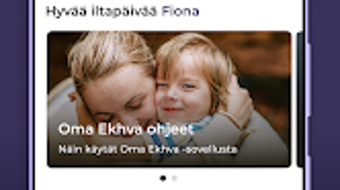

Download Oma Ekhva – South Karelia, health services, fitness, wellness, digital health, healthcare app, mobile health, health records, sick leave certificate, digital pathways, online consultations, health management, wellness app
Overview
Oma Ekhva is a comprehensive digital health and wellness application developed by South Karelia Health and Social Services for residents and visitors of South Karelia, Finland. Designed specifically for the regional population, the app serves as a centralized platform for managing personal health services and wellness activities. It enables users to access critical healthcare functions such as booking appointments, receiving digital sick leave certificates, and participating in remote consultations with healthcare professionals. The application supports individuals across various life stages, including students, permanent residents, and seasonal inhabitants, making health management more accessible and convenient.
Users can securely manage personal health records, submit digital forms, and track ongoing digital pathways related to their care. The app also facilitates communication with healthcare providers through messaging features, ensuring timely interaction without the need for in-person visits. This functionality is especially beneficial for those managing chronic conditions or requiring regular follow-ups. While the app is free to download and use, access to certain features requires proper authorization, particularly when managing services for others, such as children over 12 years of age.
As a regional digital health solution, Oma Ekhva reflects a growing trend in public sector digitalization, aiming to improve service delivery and patient engagement. Its availability on Android ensures accessibility for a broad segment of the population. The developer did not provide additional system requirements or detailed use case statistics.
Key Features & Capabilities
- Remote Consultations: Users can connect with healthcare professionals via secure video or audio calls, reducing the need for physical visits and supporting timely medical advice.
- Appointment Booking: The app allows users to schedule appointments with healthcare providers directly, with real-time availability updates and reminders.
- Health Records Management: Personal health records are stored securely within the app, enabling users to view, update, and manage their medical history and treatment plans.
- Digital Form Submission: Users can fill out, sign, and submit official health-related forms electronically, streamlining administrative processes.
- Digital Pathways Tracking: The app provides visibility into ongoing treatment or care pathways, helping users understand their healthcare journey and next steps.
- Sick Leave Certificate Access: Authorized users can receive and download official sick leave certificates directly through the app, eliminating delays in processing.
- Secure Messaging: A built-in messaging system enables confidential communication with healthcare providers, supporting follow-ups and urgent inquiries.
- Authorization for Others: Parents or guardians can manage services for children over 12 with proper digital authorization, ensuring inclusive access for families.
These features collectively support a more proactive and user-centered approach to health management. For example, a student in South Karelia can book a doctor’s appointment during a study break, receive a digital sick leave certificate, and track their recovery progress—all from a single interface. Similarly, a seasonal resident can access urgent care services without needing to navigate multiple platforms. The app enhances efficiency and reduces administrative burdens for both users and healthcare providers.
User Interface, Workflow & Performance
The user interface of Oma Ekhva is designed with accessibility and clarity in mind, featuring a clean layout and intuitive navigation tailored for users of varying digital literacy levels. Main functions such as appointment booking, messaging, and document access are prominently displayed on the home screen, minimizing the number of steps required to complete common tasks. The workflow follows a logical sequence, guiding users through each stage of interaction—from selecting a service to submitting a request or form.
Navigation is consistent across screens, with a bottom navigation bar and clearly labeled icons that support quick access to key sections. The app’s performance appears stable based on general software behavior patterns, though exact performance details were not specified by the developer. The developer did not specify resource usage details, so CPU and RAM behavior cannot be confirmed. However, the app’s 45 MB size suggests a lightweight footprint, which may contribute to smooth operation on mid-range Android devices.
Stability during extended use has not been publicly documented, but the app’s focus on core health services implies a priority on reliability. Users can expect consistent access to essential functions, particularly for appointment management and document retrieval. No reports of crashes or data loss were provided in the official information.
Compatibility & System Requirements
Oma Ekhva is designed exclusively for the Android operating system, ensuring compatibility with a wide range of Android smartphones and tablets. The app is available in version 1.0.0, indicating it is in its initial release phase with foundational features. The installation size is 45 MB, which is relatively modest and suitable for devices with limited storage capacity.
Exact system requirements were not listed by the developer. Compatibility information is limited to the operating system, and no specific hardware specifications—such as minimum RAM, processor type, or screen resolution—were provided. Users are advised to ensure their Android device is running a supported version of the OS, though the exact minimum version is not stated. The developer did not specify whether the app supports older Android versions or requires a specific API level.
For users seeking to install the app, it is recommended to check the official source for the most accurate compatibility guidance. The absence of detailed technical specifications means that users should proceed with caution on older or less common devices.
Pros and Cons
Pros
- Free to download and use, reducing barriers to access for residents and visitors.
- Centralized platform for health services, including appointments, records, and digital documents.
- Supports remote consultations and secure messaging with healthcare providers.
- Enables digital form submission and tracking of care pathways.
- Provides access to official sick leave certificates through the app.
- Designed with regional relevance for South Karelia, Finland.
- Lightweight installation size of 45 MB.
Cons
- Available only on Android, limiting access for iOS users.
- Exact system requirements and compatibility details were not provided.
- Authorization required for managing services for others, which may pose challenges for some users.
- Initial release version (1.0.0) may lack advanced features or refinements.
- Performance and resource usage details were not specified.
FAQ Section
Is Oma Ekhva available for iOS devices?
Oma Ekhva is currently available only on Android. There is no official iOS version reported at this time.
Is the app safe and secure to use?
The app is developed by South Karelia Health and Social Services, a public health authority, and is designed to handle sensitive health information securely. Users should ensure they are downloading the app from official sources to maintain safety.
How often are updates released?
The release date for version 1.0.0 was March 15, 2024. No information on update frequency was provided by the developer.
What type of license does Oma Ekhva use?
The app is free to download and use. The licensing model is not publicly detailed beyond its status as a public service application.
Can I use Oma Ekhva offline?
While the app may allow limited access to previously downloaded documents or cached data, core functions such as appointment booking, messaging, and form submission require an active internet connection.
Final Thoughts
Oma Ekhva represents a significant step forward in digital health accessibility for the South Karelia region. By consolidating essential health services into a single, user-friendly Android application, it empowers residents and visitors to manage their wellness with greater autonomy. The inclusion of remote consultations, digital document access, and secure messaging addresses real-world challenges in healthcare delivery, particularly in geographically dispersed communities.
Although the app is currently limited to Android and lacks detailed system specifications, its focus on core functionality and regional relevance makes it a valuable tool for anyone in South Karelia. The free access model ensures equitable use across socioeconomic groups, and the ability to manage services for authorized individuals enhances its utility for families.
For users seeking a reliable, secure, and comprehensive health management solution tailored to their region, Oma Ekhva offers a strong foundation. With continued development and potential expansion to other platforms, it could become a benchmark for public digital health services.
Download Oma Ekhva now







